


Welcome to M3U Editor
M3U Editor is a full-featured, open-source IPTV playlist manager with advanced features similar to xteve or threadfin.
This documentation provides comprehensive guides, examples, and reference material to help you get the most out of M3U Editor.
What is M3U Editor?
M3U Editor is a self-hosted web application for managing M3U playlists and IPTV streams. Created by sparkison, it offers a modern, responsive interface for importing, editing, and serving your media streams.
Key capabilities:
- Full M3U/M3U8/M3U+ and Xtream Codes API support
- Complete EPG (Electronic Program Guide) management
- Xtream API output for client compatibility
- Series management with .strm file support
- Post-processing with webhooks and custom scripts
- Built-in stream player with EPG integration
🎯 Key Features
Stream Management
- Multiple Import Methods — M3U files, URLs, and Xtream Codes API
- Channel Organization — Categorize, number, and customize channels
- Auto-Merge Channels — Automatically deduplicate and create failovers
- Failover Streams — Automatic failover for reliability
- Bulk Operations — Manage hundreds of channels efficiently
EPG Integration
- XMLTV Support — Local files and remote URLs
- Schedules Direct — Full SD integration
- EPG Caching — Optimized performance for large EPG files
- Smart Mapping — Automatic and manual EPG channel mapping
- EPG Preview — Built-in TV guide with playback
Streaming & Output
- M3U Proxy — Restream with hardware acceleration
- Xtream API — Full Xtream-compatible API output
- HDHR Support — Connect with Plex, Emby, Jellyfin
- HLS Support — HTTP Live Streaming output
- Custom Outputs — Multiple playlist configurations
Advanced Features
- Series Management — VOD organization with .strm files
- Post Processing — Webhooks, scripts, and email notifications
- Redis Caching — Stream pooling and performance
- Queue System — Background job processing
- API Access — RESTful API for automation
📋 Prerequisites
To run M3U Editor, you need:
- Docker installed on your system
- M3U sources: Xtream credentials or M3U URLs/files
- (Optional) EPG data: XMLTV URLs/files or Schedules Direct account
🚀 Quick Start
Get up and running in minutes:
# Download recommended configuration
curl -O https://raw.githubusercontent.com/m3ue/m3u-editor/master/docker-compose.proxy.yml

# Start services
docker-compose -f docker-compose.proxy.yml up -d

# Access at http://localhost:36400
See Installation for detailed setup instructions.
📖 Documentation Sections
🎓 Getting Started
New to M3U Editor? Start here:
🚀 Deployment
Production deployment guides:
⚡ Advanced Topics
Deep dives into advanced features:
💬 Community & Support
Get help and contribute:
📸 Screenshots
 Rich metadata display
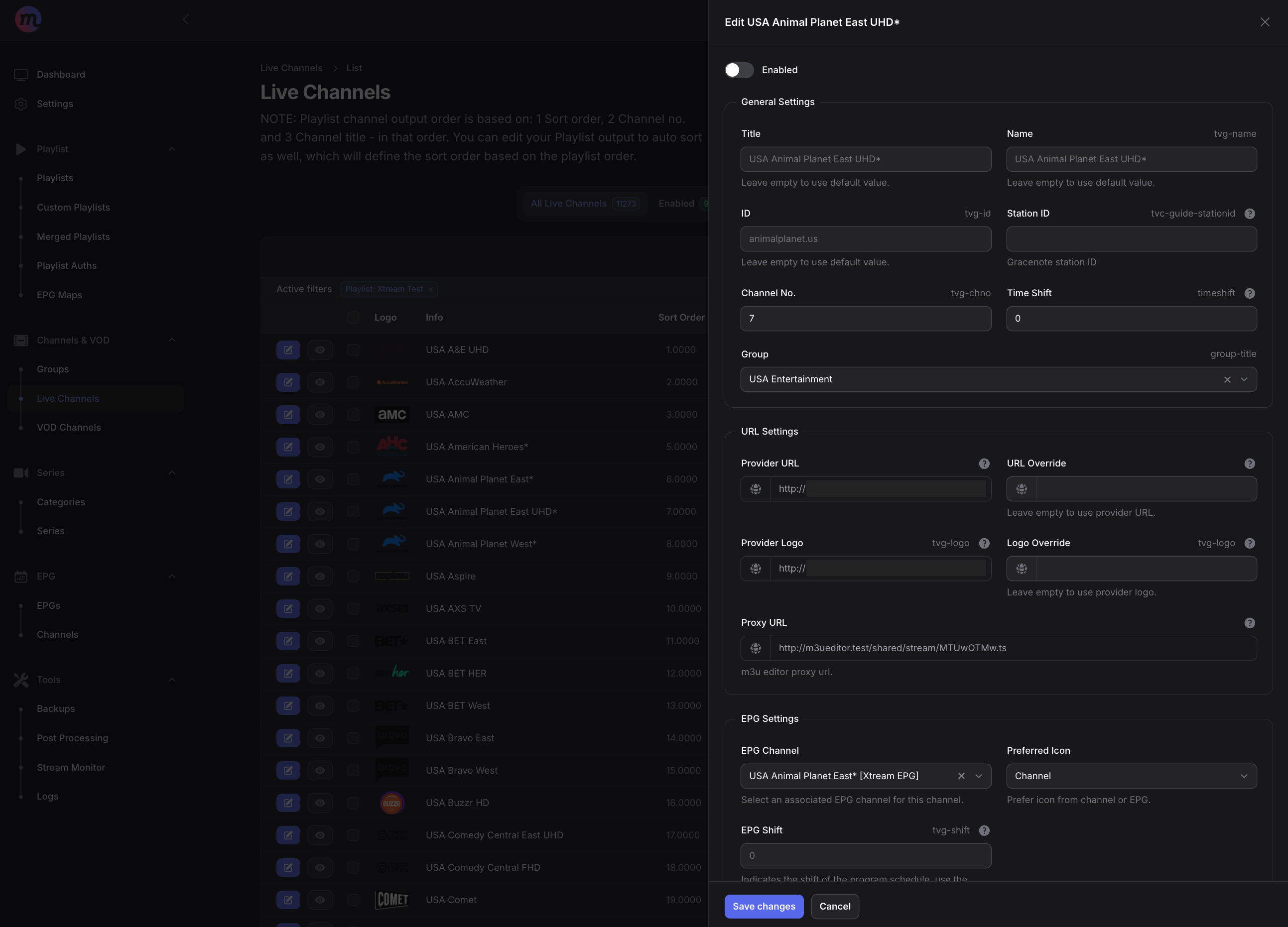 Channel editor with full customization options
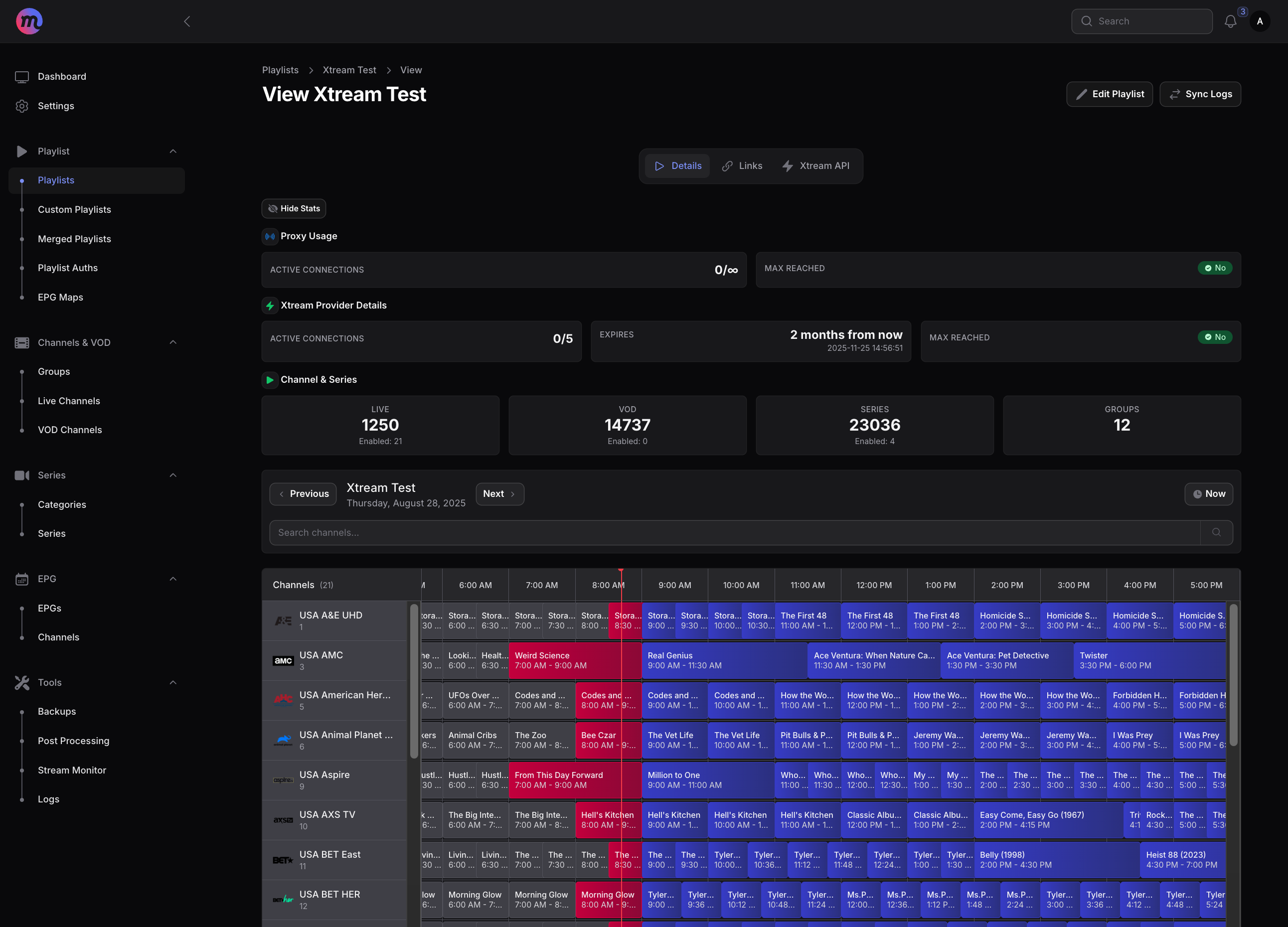 Built-in EPG preview with program guide
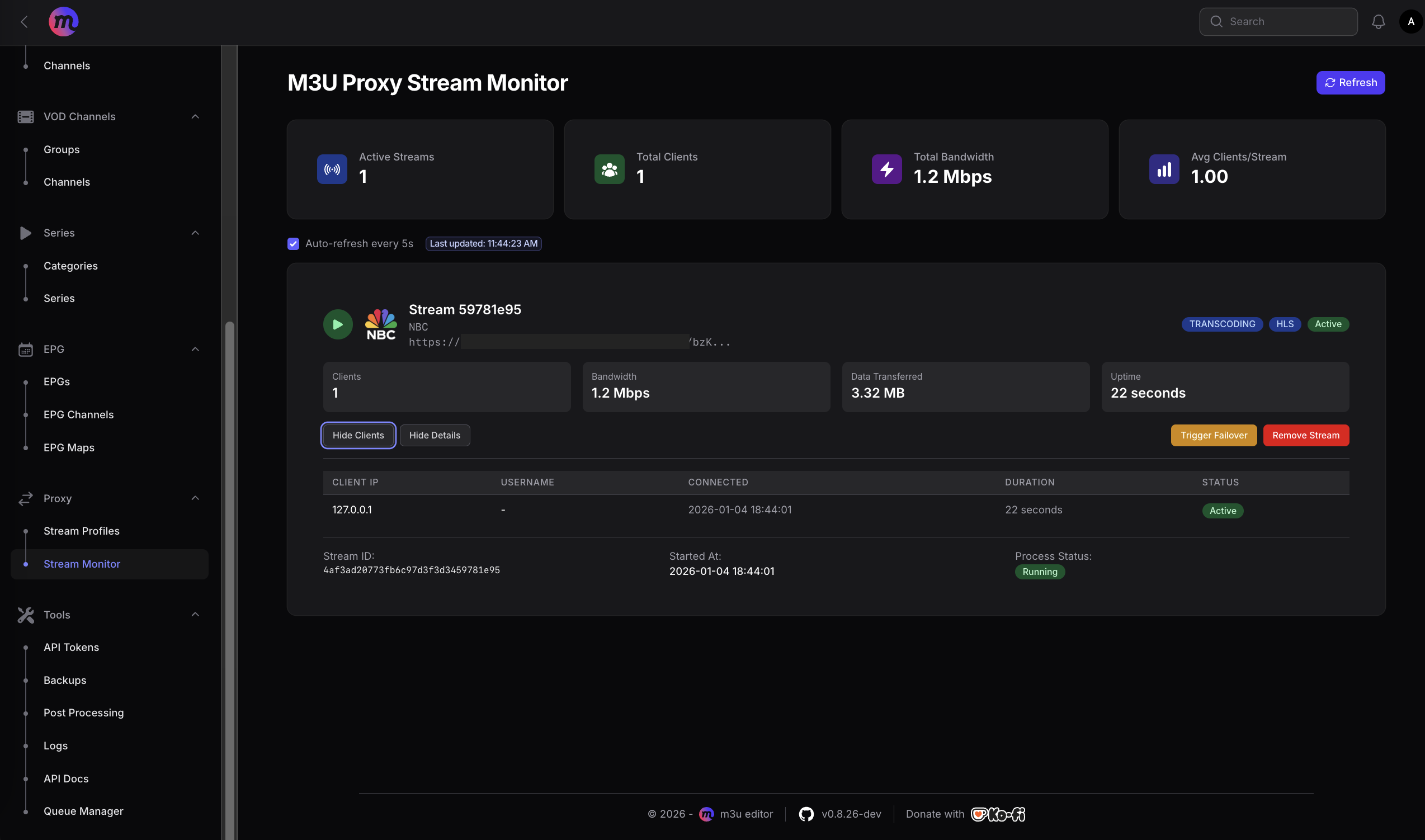 Real-time proxy statistics and monitoring
⚖️ License
M3U Editor is licensed under CC BY-NC-SA 4.0:
- BY (Attribution): Credit the original author
- NC (Non-Commercial): No commercial use
- SA (Share Alike): Derivatives must use same license
For full details, see Creative Commons License.
M3U Editor is an independent, open-source playlist manager — not an IPTV provider. We don't host channels or partner with streaming services. Please only use content you're authorized to access.