Media Server Integration Settings
This document describes several configuration options that exist for media server integrations.
Media Server Action Menu
The media server integration contains various actionable items depicted below
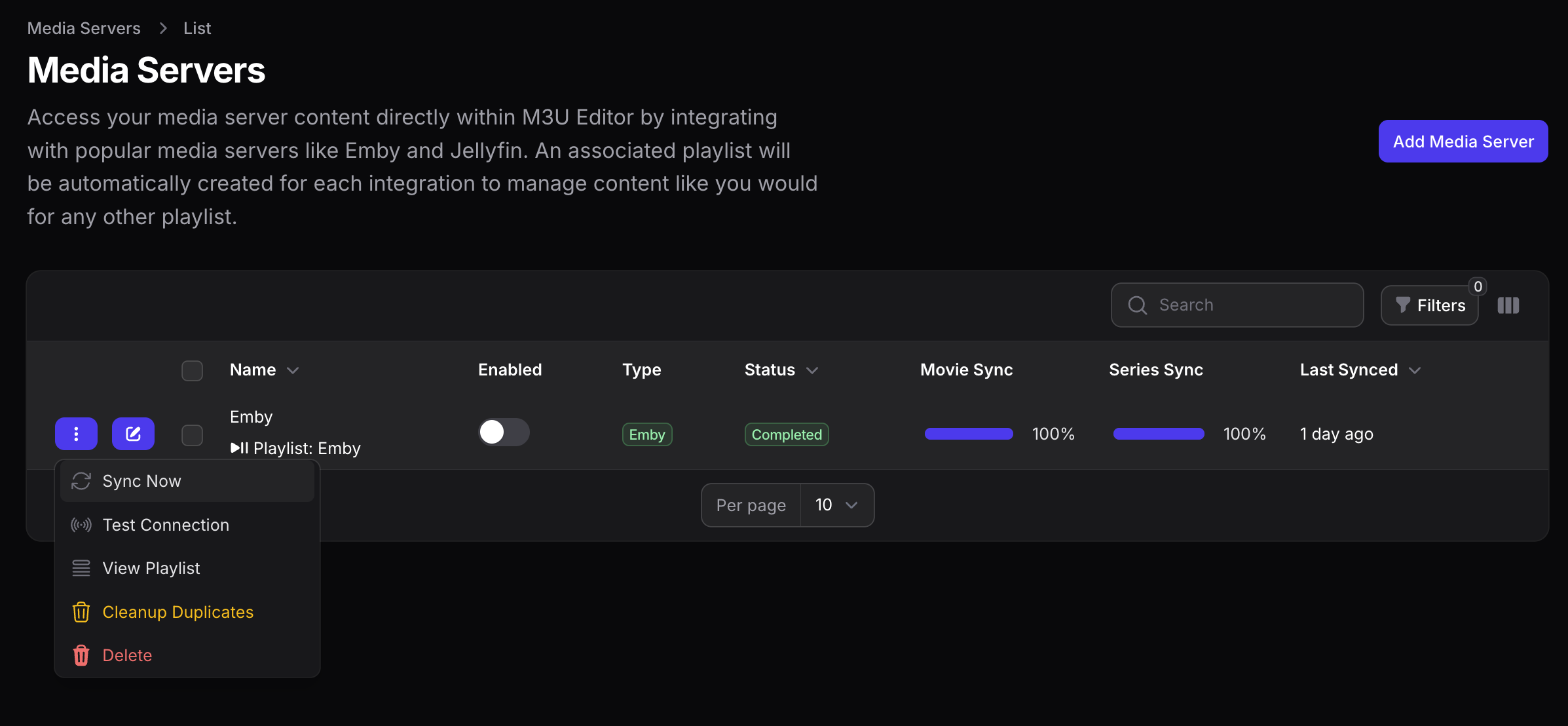
Sync Now
Purpose: Manually triggers a full sync of content from the media server
Behavior:
- Will sync all content from the media server. For large libraries, this may take several minutes.
- Dispatches a SyncMediaServer job to the queue
- Shows success notification that sync has started
- User will receive notifications when sync completes/fails
Test Connection
Purpose: Tests the connection to the media server
Behavior:
- Calls the MediaServerService to test connectivity
- Shows success notification with server name and version if successful
- Shows error notification with failure message if unsuccessful
View Playlist
Navigates to the associated playlist’s edit page
Cleanup Duplicates
Purpose: Removes duplicate series entries created during sync format changes
Behavior:
- Will find and merge duplicate series entries that were created due to sync format changes. Duplicate series without episodes will be removed, and their seasons will be merged into the series that has episodes.
- Calls cleanupDuplicateSeries() method
- Shows info notification if no duplicates found
- Shows success notification with counts of merged/deleted items if duplicates were found
Delete
Removes the media server integration
🧩 Media Server Integration (Import Settings)
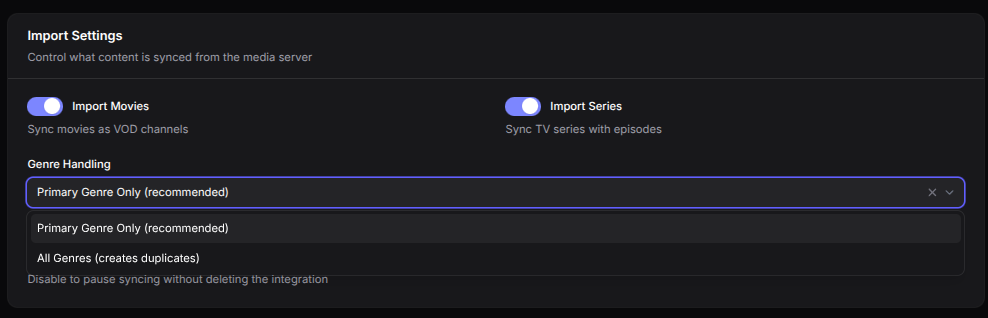
Within a configured media server integration you can control how Groups (VOD) and Categories (Series) are processed.
There are two options when it comes to genre handling:
- Primary Use only the first genre. Prevents duplication by placing an item in a single group/category. Recommended for most situations.
- All Use all genres. Items store all genres and may appear in multiple groups/categories, which increases duplicates, storage, and sync time.
🗓️ Sync Schedule
Configures synchronization schedule with the integrated media server. The following are the support sync intervals:
- 1 hour
- 3 hours
- 6 hours
- 12 hours
- Dailly (Midnight)
- Weekly (Sunday)
